


Hello, Engineers!
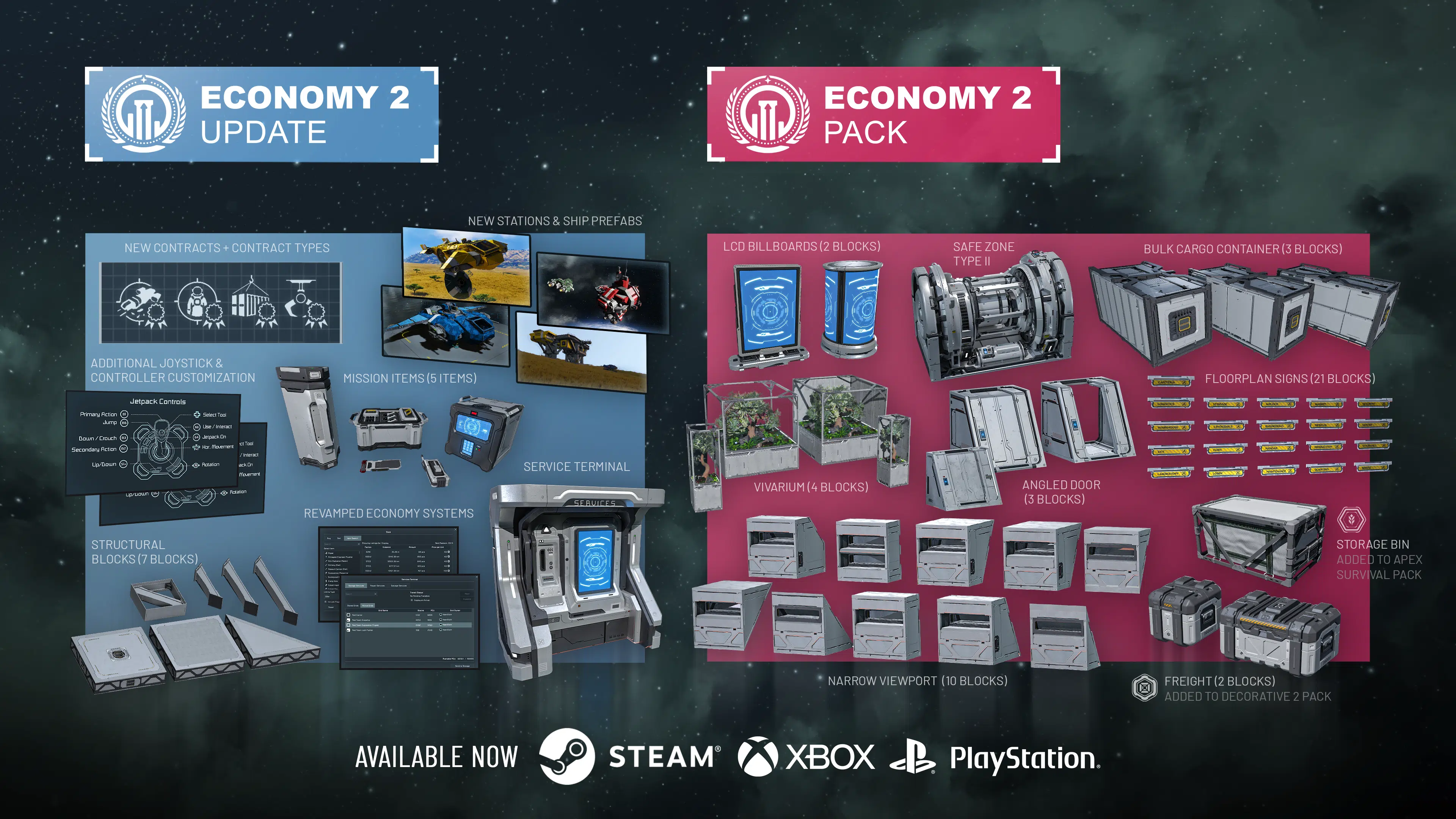
The Economy 2 Update is here – and it changes how you play. Store entire grids and redeploy them when you need them. Repair your ship at a trade station without replacing a single component. Hunt bounties, haul cargo through pirate space, and sell scrap for credits. Trade stations now have NPCs walking around inside them. And further ModAPI improvements open new possibilities for modders, server gamemasters, and scenario makers.
Everything in this update is free. Alongside it, we’re releasing the Economy 2 Pack with new decorative blocks and variants to expand your creative options.

If you own Space Engineers, everything below is yours – no extra purchase needed.
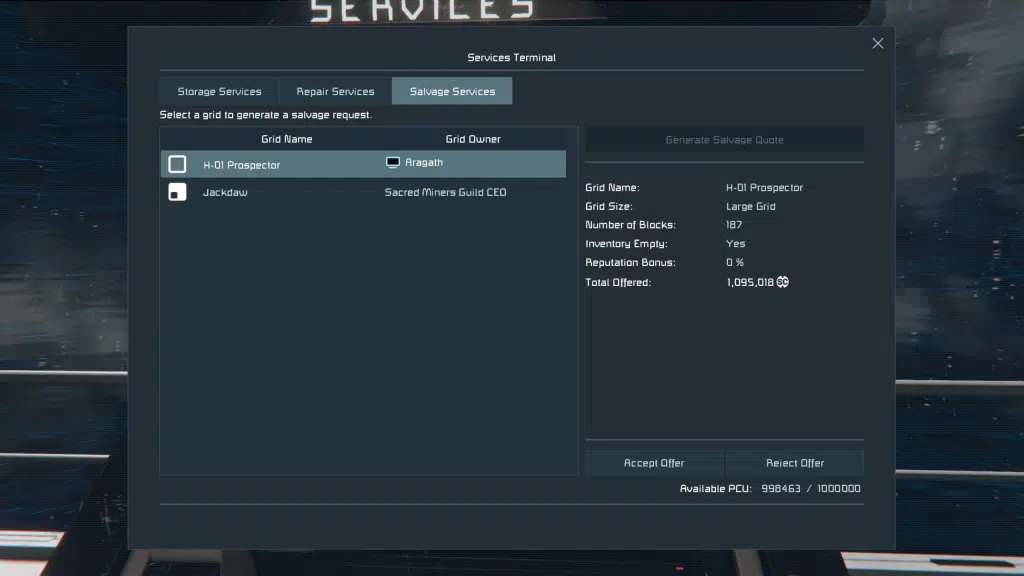
Services Terminal: Grid Storage, Repair & Salvage
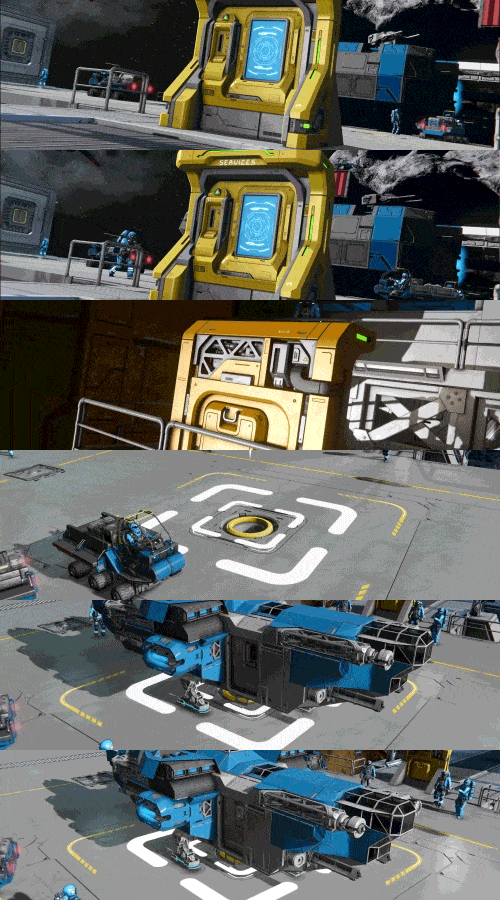
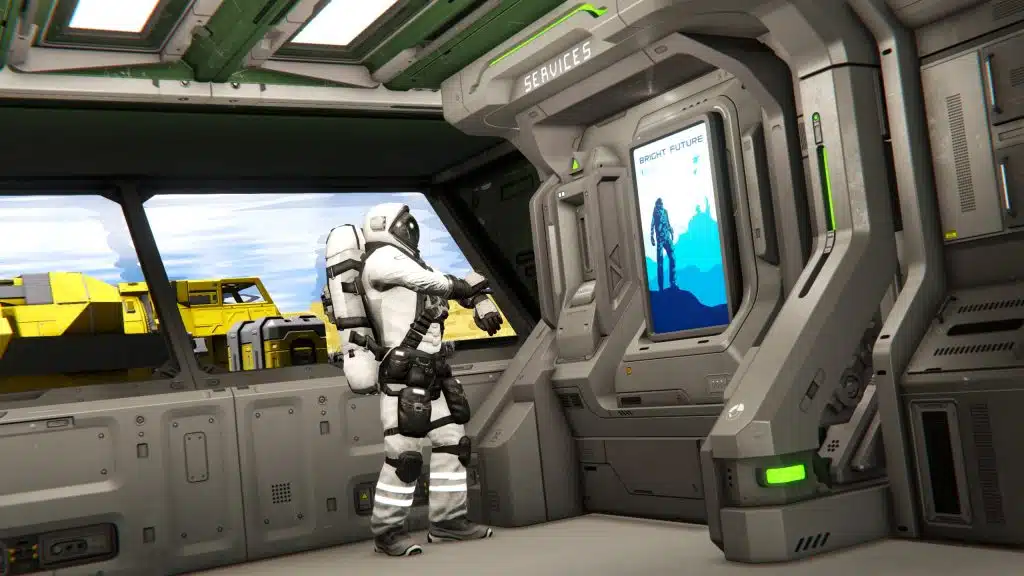
The Services Terminal block is one of the core new infrastructure features of the Economy 2 Update. Its purpose is to give players new ways to quickly store, repair, and sell grids. Repair and Salvage services are exclusive to the economy system, making trade stations useful hubs of activity, and not just of an optional side system.
Services Terminal
(1 block, L grid)
Grid Storage
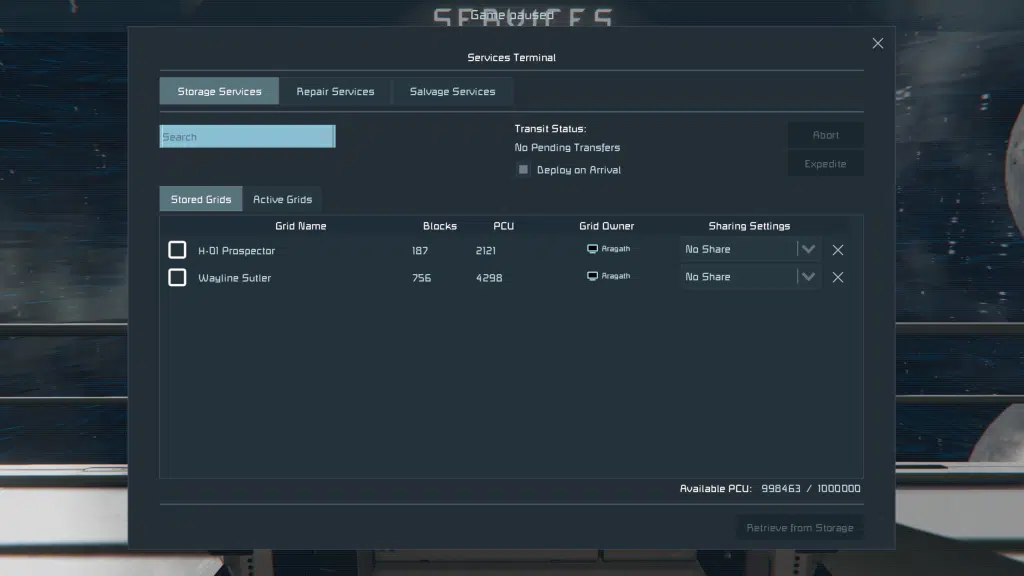
The Services Terminal lets you store entire grids and bring them back when you need them. Free up your PCU and unleash your creativity, store a specialized grid until an activity calls for its use, or clean up the crowded area around your busy base.
When retrieving a stored grid, you can deploy it into the general area or place it more precisely by using Precision Mode controls. These controls give you better control over where your ship appears and makes it easier to handle tighter parking spaces or more organized hangars.
Grid Storage can also be used in more flexible ways depending on how the terminal is set up. An “Anyone Can Use” option allows other players to interact with the storage system at trade stations or allied bases, and a per-grid “Share with Faction” option lets you share specific stored grids with your faction members.
By default, retrieving a grid can take some time, but new world settings can let you dial in these times to make it behave exactly how you want.When retrieval timers are enabled, you can expedite the redeployment process by paying Space Credits. This block is loaded with optional settings, allowing admins the ability to configure to their liking – including whether or not items are allowed to remain inside stored grids, giving server owners and scenario creators fine control over how the system can be used.
Grid Repair
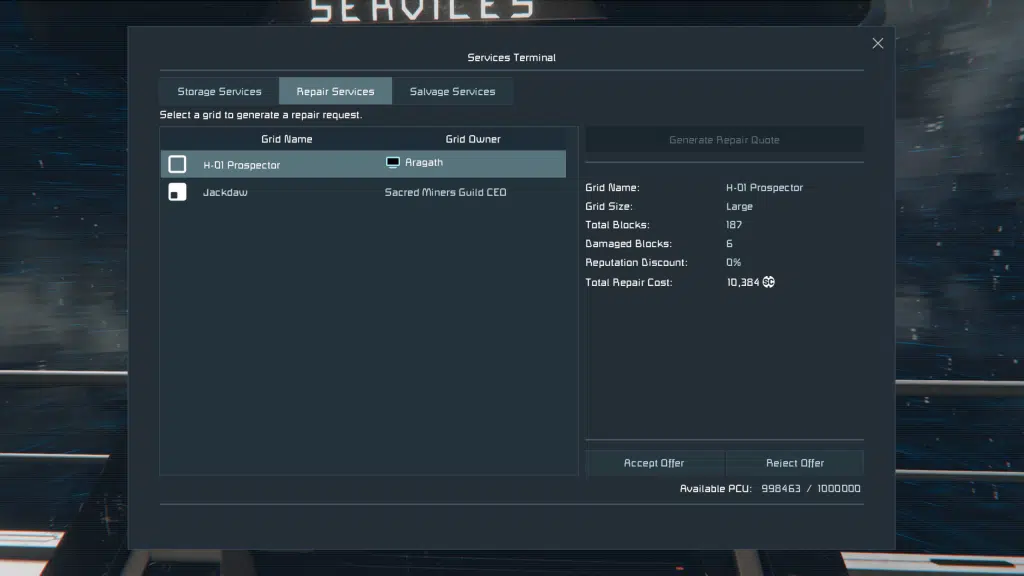
The Grid Repair Service lets you bring a damaged grid to an NPC Trade Station and pay Space Credits to quickly restore damaged systems. It is a fast and convenient way to get ships and vehicles back into working shape without handling every missing component and damaged block manually – making it a practical recovery option after combat, accidents, or long expeditions. To use this service, you must be the majority owner of the grid.
Grid Salvage
Grid Salvage lets you bring a grid to an NPC Trade Station and sell it as scrap for Space Credits through the Services Terminal. It is a quick and convenient way to turn damaged, outdated, or unwanted ships and vehicles into useful credits instead of taking them apart by hand. To use this service, you must be the majority owner of the grid. If the grid still contains items, you will get a warning before completing the sale, as those items will not be recoverable after the transaction is complete.
Revamped Economy Systems
The Economy 2 Update brings a major overhaul to the economy systems in Space Engineers, making trading, station visits, and market information much easier to understand and use. With the new Economy Overview, Item Search, Store Block improvements, and expanded modding support, economy gameplay now feels more connected, more readable, and more responsive to player activity.
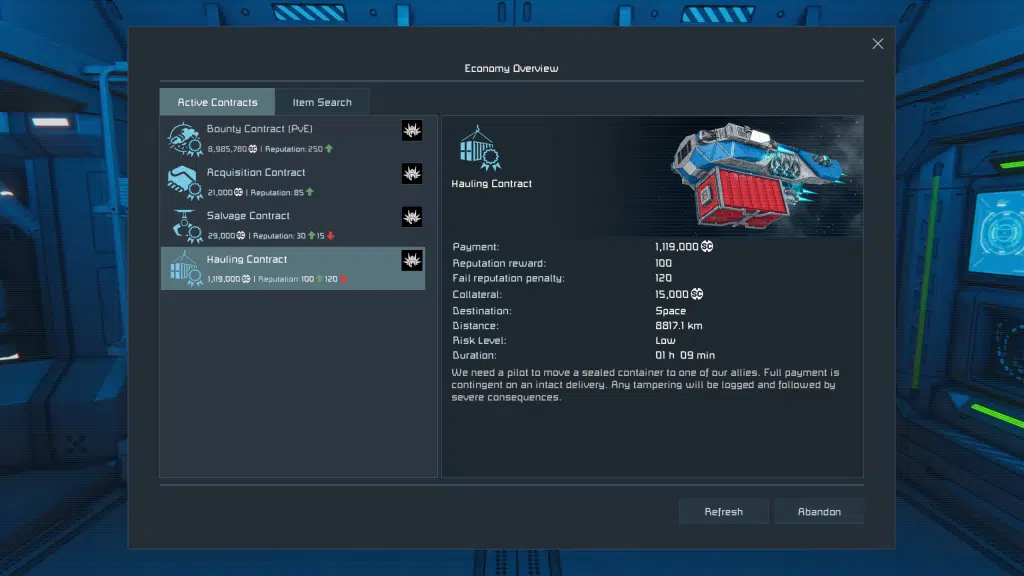
Economy Overview
The old Contracts screen has been repurposed into the new Economy Overview, giving you a better view of important store and contract information in one place. It is designed to make price changes, item availability, and the overall state of the economy much easier to interact with while playing.
When interacting with NPC-owned Store Blocks and Contract Blocks, you can now also see the time remaining until the next economy update, making it easier to understand when stores will restock and when new contracts will become available. The default time between Store Block restocks and Contract Block refreshes has also been reduced, helping the economy feel more active and responsive. This timing can also be configured on Dedicated Servers.
Item Search
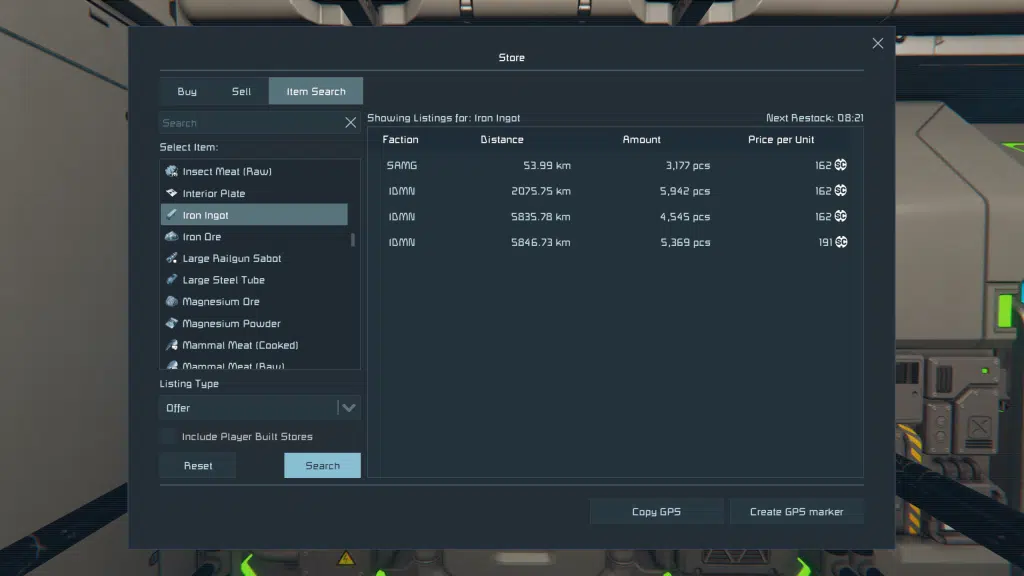
A new Item Search tab has been added to Store Blocks and the Economy Overview, making it much easier to find the items you need. You can remotely search listings from NPC and player-built stores, compare prices, and browse the market without having to travel from station to station.
Searching shows all matching listings, not just the best one, and lets you compare price, amount, distance, faction, and time until restock in one place. It can also include player-built stores in search results, giving you a much better view of the wider economy and making trading with other players far more practical.
Store Block Improvements
Store Blocks have also received several important improvements. Players can now trade Hydrogen, Oxygen, and modded gases between each other through player-built Store Blocks, opening up new opportunities for player-to-player logistics, refueling services, and trade networks.
The maximum number of listings per Store Block has also been increased from 30 to 50. In addition, NPC station prices have been rebalanced so player-built stores can more easily compete in multiplayer worlds.
Economy ModAPI
Economy 2 Update also greatly expands modding support for the economy system, opening new possibilities for modders, server gamemasters, and scenario makers.
With more features exposed through the ModAPI and more SBC files open for editing, creators can build player-made contracts and contract variants, rebalance and reshape trade, and create more dynamic economies around factions, stations, and player-driven markets. It also opens up more advanced control for custom worlds and scenarios, including planet subtype blacklists for trade station and contract spawns, along with a Regenerate Station Locations admin option for scenario makers and server operators.
Contracts
Contracts in Economy 2 Update have been significantly expanded and rebalanced to make them feel more rewarding, more varied, and more enjoyable to play. This update adds several new contract types, improves payouts and contract flow, and gives players more reasons to engage with stations as part of their regular gameplay loop instead of treating contracts as a simple credit grind.
Escort Contracts have also been removed, with their role now replaced by more interesting and engaging alternatives.
Courier Contracts – Courier Contracts focus on delivering packages between stations, but they are no longer just simple point-to-point jobs. They now come with different risk levels, with more dangerous deliveries offering better rewards and the possibility of pirate interference along the way.
Search Contracts – Search Contracts send you out to locate missing grids and return them to their owners. Once you find the target, the contract updates to guide you back to the delivery location, and your reward depends on the condition of the grid you bring home – giving you a good reason to recover it intact.
PvE Bounty Contracts – PvE Bounty Contracts add a new combat-focused mission type built around hunting down enemy NPC grids. These contracts give players a more direct way to take on hostile targets for rewards, and help fill the role of more action-oriented station jobs.
Hauling Contracts – Hauling Contracts task you with transporting heavy cargo containers between stations. These jobs place more emphasis on the kind of ship you bring, with container size, value, and risk affecting the reward. Damage, destruction, or tampering with the cargo can reduce your payout or fail the contract entirely, making hauling feel more like a true logistics job.
Salvage Contracts – Salvage Contracts send you to damaged or abandoned grids in search of valuable mission items. You are free to tear into the wreck, recover what you can, and keep the salvage – but the contract itself is completed by finding the target item and returning it to the station. This creates a nice mix of exploration, scavenging, and profit.
Item Recovery Contracts – Item Recovery Contracts come from exploring existing encounters in the world. Special items hidden in cargo ships, random encounters, and other points of interest can be delivered to an interested station for payment and increased reputation.
Grid Recovery Contracts – Grid Recovery Contracts give you the chance to recover damaged or derelict grids you discover while exploring and return them to their home station for a reward. These contracts help connect exploration, encounters, and the economy system more naturally, giving players another reason to venture out into the void.
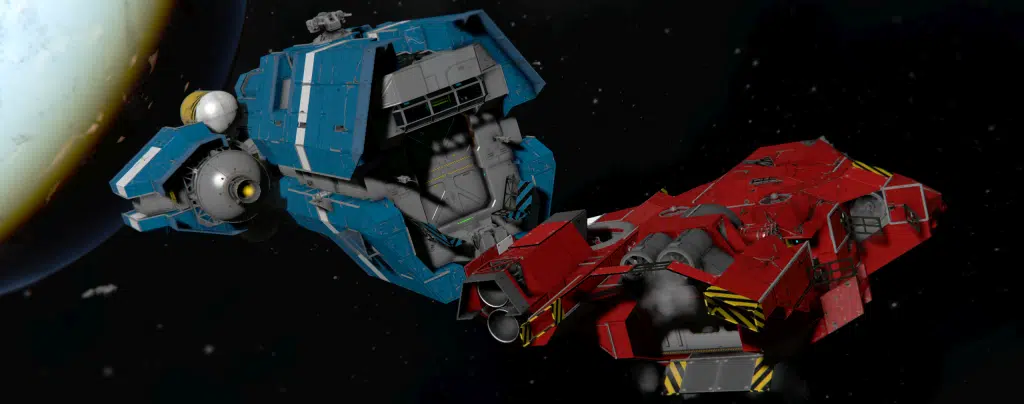
Factions Improvements
This release is also a major update to faction gameplay, making NPC factions easier to discover and more interesting to interact with. Trade stations now feel more alive
Finding new stations and factions is now much more intuitive. Trade stations can display dynamic billboard advertisements that grant GPS locations when interacted with, datapads with station locations can now appear as loot, and some encounters can trigger contracts that guide you to new stations. Any reputation change now also makes that NPC faction visible to the player, helping the world feel more connected and easier to navigate.
Reputation has also been reworked to be more flexible and easier to recover from. A hostile reputation with an NPC faction no longer blocks access to their stores or contracts – instead, those factions will offer fewer contract types and worse prices until you improve your standing. Negative reputation no longer spreads to allied factions, and reputation is no longer lost or gained from interactions between player factions..
A new world option, Reputation Decay Over Time, slowly moves reputation back toward its default values during active play, giving players a reason for continued interaction with the contract system.. This helps keep faction relationships dynamic over time instead of locking them in permanently.
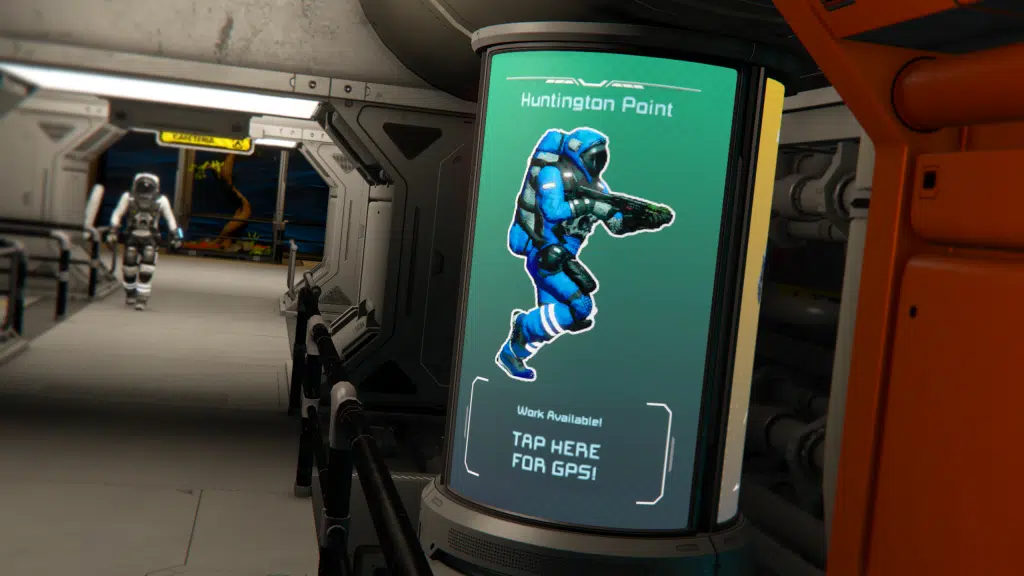
New Stations & Ship Prefabs
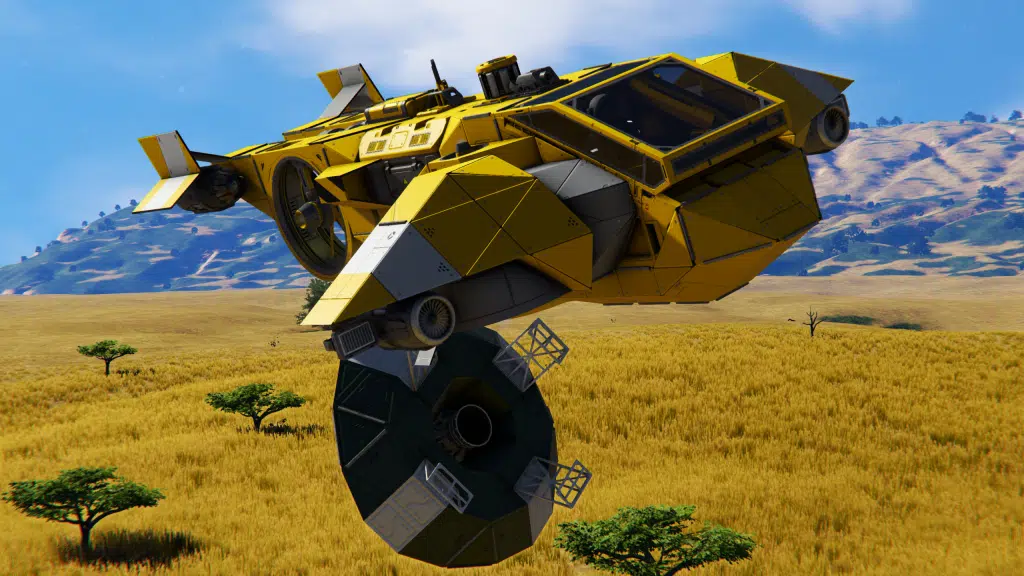
This release also gives Trade Stations a major refresh with 17 new prefabs for planetary, orbital, and deep space locations. These new stations are designed to feel more varied, intuitive to navigate, and more connected to the wider world, with a broader range of station types spread across different environments.
Trade Stations now also have unique names, helping each location and playthrough feel more distinct and memorable. This includes Meridius Station, added in honor of the creator of Modular Encounters Systems. Stations can now also be discovered in more natural ways through billboard advertisements that grant GPS locations, datapads found in loot, and encounter contracts that can guide you to new locations.
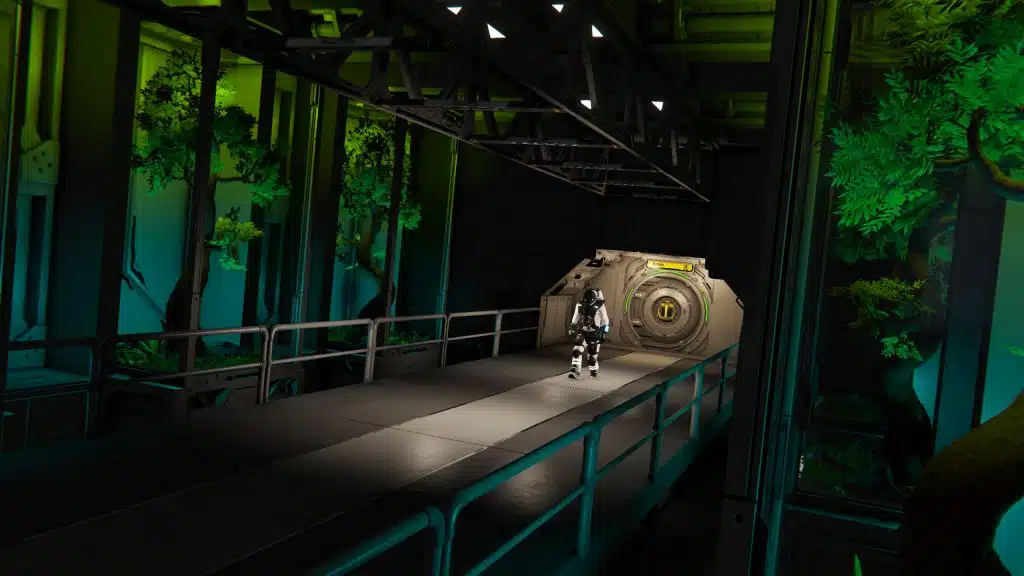
Space Pirate stations have also been expanded to better reflect their faction. Different faction types can now use their own station prefabs, helping Trade Stations feel more varied depending on whether you are visiting traders, miners, builders, military factions, or pirates.
All Trade Stations now sell Hydrogen, making them more useful as reliable refueling stops during longer journeys. Together with the new station layouts, improved ship sales, and better ways to discover new locations, this update makes stations feel much more like a connected part of everyday gameplay.
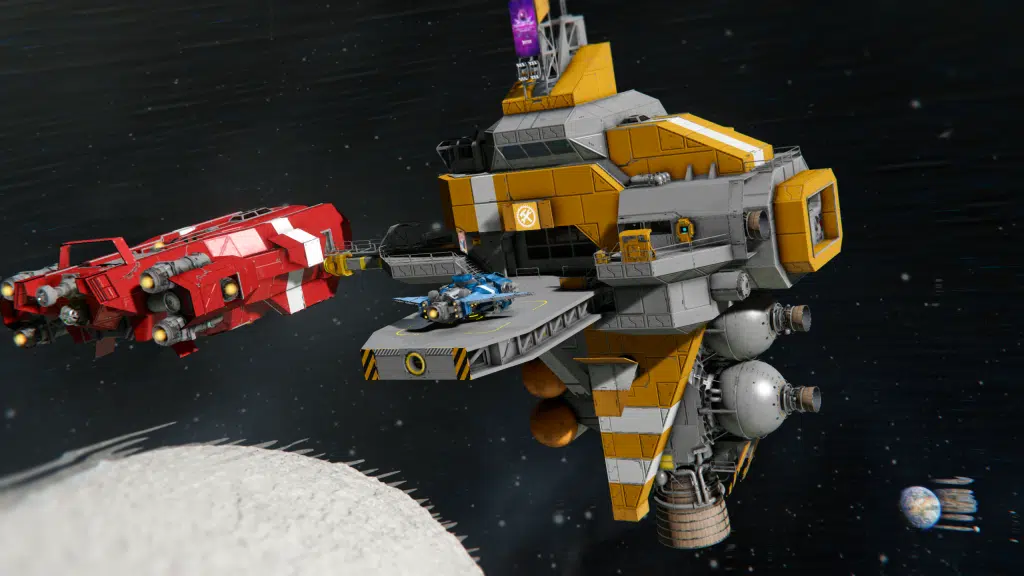
Ship Prefabs / Station Sales
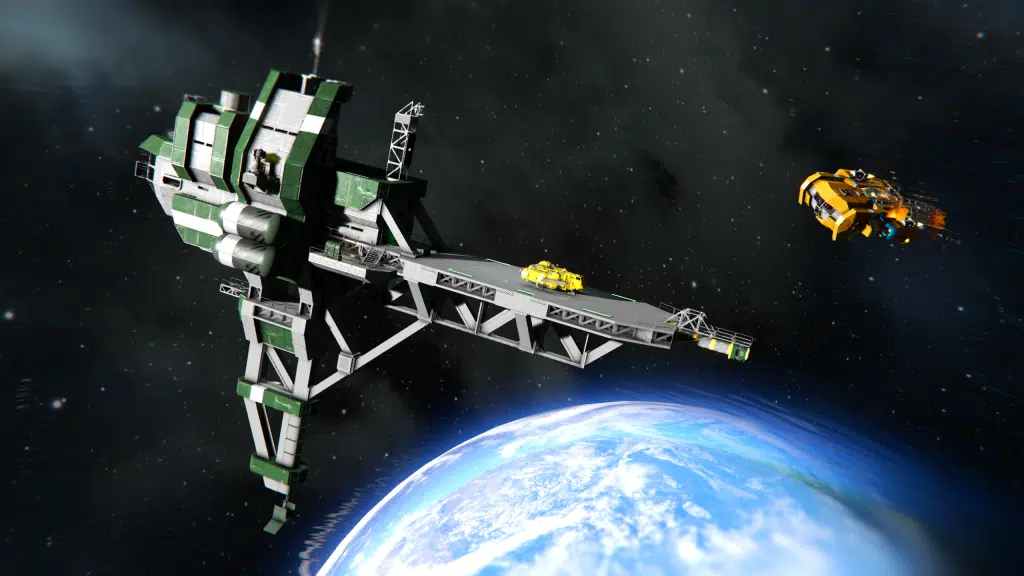
The ship market has also been greatly expanded with 43 new and updated purchasable grids, including ships, rovers, drones, and missiles. This gives players a much wider range of ready-made options at Trade Stations, whether you want to jump straight into combat, pick up a useful utility vehicle, or buy a solid starting point for your next custom build.
These purchasable grids are meant to be practical foundations that players can easily adapt and make their own. Many are designed to support customization and expansion, giving you a better launching point for cargo hauling, combat, exploration, or logistics without needing to start completely from scratch. Drones, rovers and even missiles are now also part of station sales, giving players even more ready-to-use options straight from the market.
Animated Characters on Trade Stations
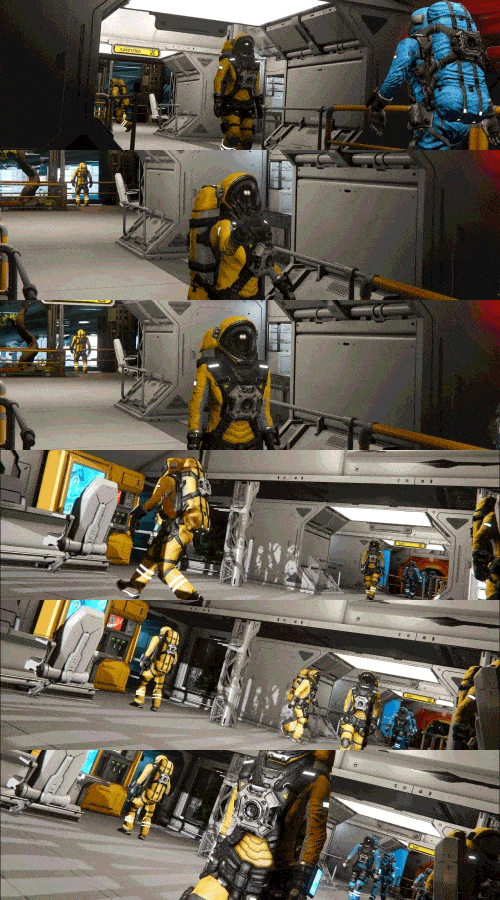
Trade Stations now feel more alive thanks to the addition of animated NPC characters that move through Trade Stations, emote and react to player presence.
This feature is the result of a lot of research and experimentation on character pathfinding on custom grids, and AI reactions to player presence. We were quite successful, and this is the first stage of that work that we are ready to release and share with you.
Structural Blocks
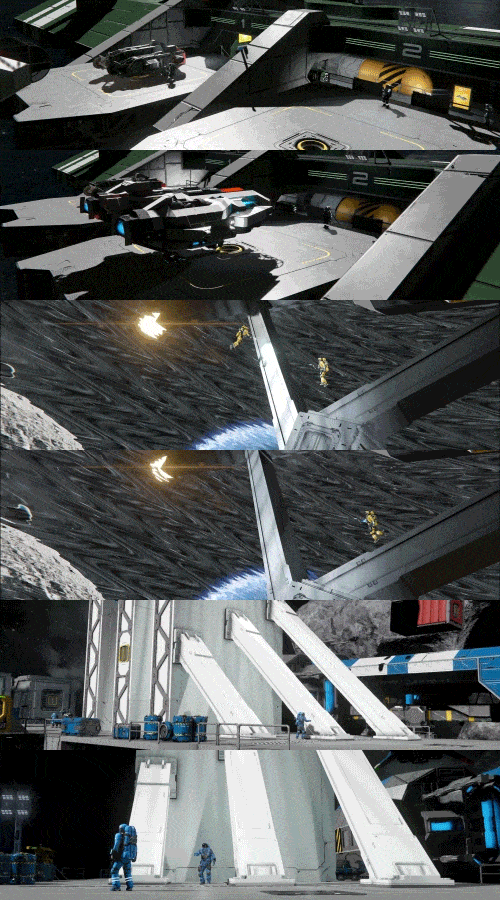
We are adding a new free set of Structural Blocks for large grids which includes several platforms, beams, and frames. These are perfect building foundations for stations, large hangars, and support structures. These blocks expand your building palette with heavier structural pieces that feel practical, versatile, and easy to build with.
Safe Zone Improvements
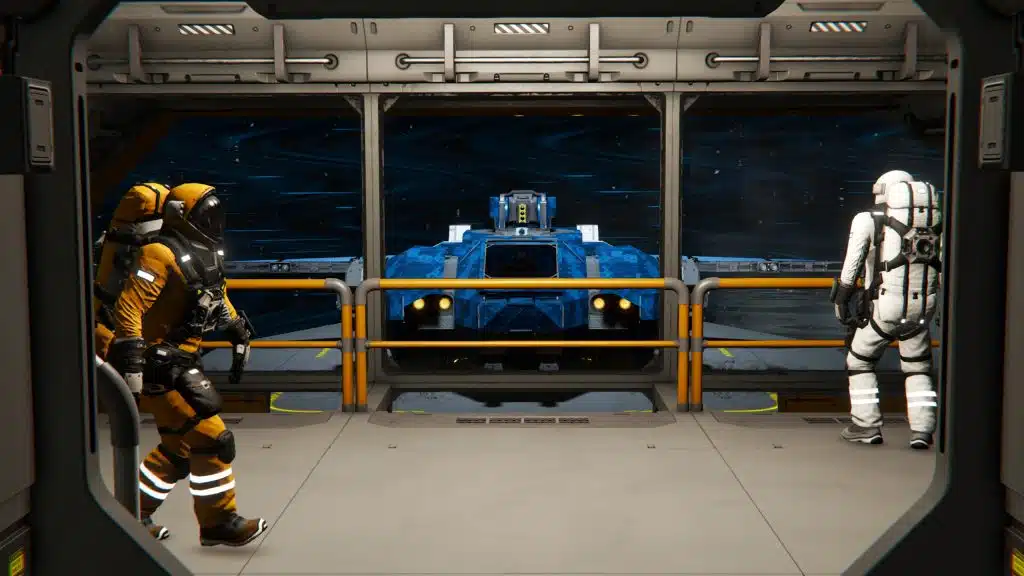
Safe Zones have also received a set of practical quality-of-life improvements. They now automatically pull inventory like other blocks, have reduced power requirements, and no longer use a separate filter for floating objects. Floating objects can now pass through Safe Zones and come to rest much faster inside them.
Additional Improvements
- Additional Joystick & Controller Customization and expanded controller settings
- Support for more flexible rebinding of Joystick Controls
- Inventory improvements, including better sorter cooperation.
- Added a variety of Mission Items
There are many additional improvements and fixes in the Economy 2 Update – you can explore everything included in the detailed Changelog.
Gift to Space Engineers 2 Players (Steam Only)
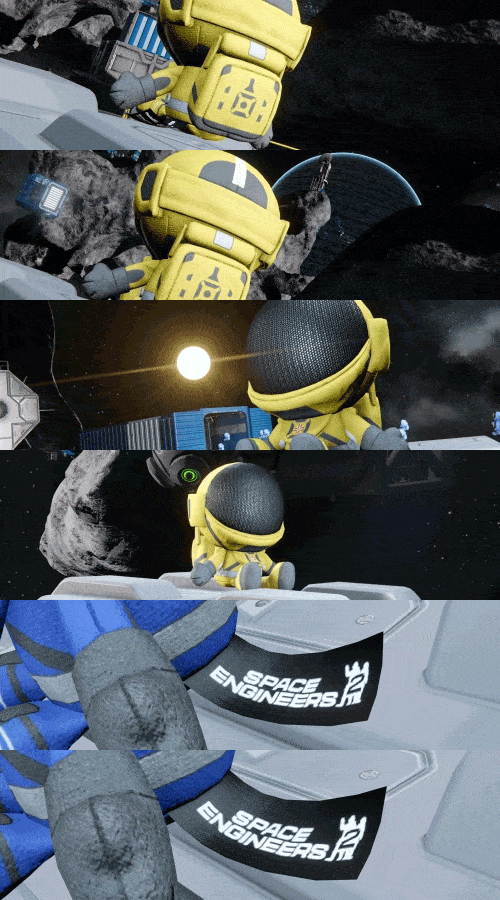
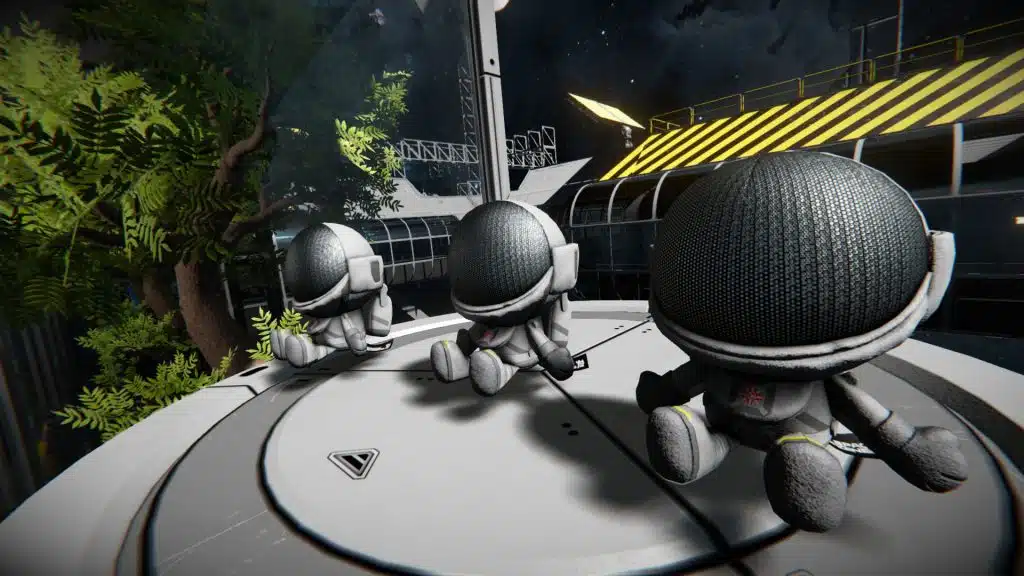
A special package has arrived – apparently from a place called the “Almagest System”. Inside, you will find the Almagest Engineer Plushie, a small decorative gift for all Space Engineers 2 owners on Steam. It is a fun little crossover between our two universes, and a small thank you to everyone already supporting the future of Space Engineers.
If you own Space Engineers 2, you will receive the Almagest Engineer Plushie in Space Engineers on Steam as a free bonus small-grid block. Whether you place it in a crew quarters, station interior, or hidden somewhere aboard your favorite ship – it is a small reminder that even across distant systems, Engineers are never too far apart.
Almagest Engineer Plushie
(1 block, S grid)
Free DLC Content Additions
We are always looking for ways to improve, and that includes adding value to prior releases. During this update, we are adding new content to existing DLCs, those who already own these DLCs will get this content for free, as part of the update.
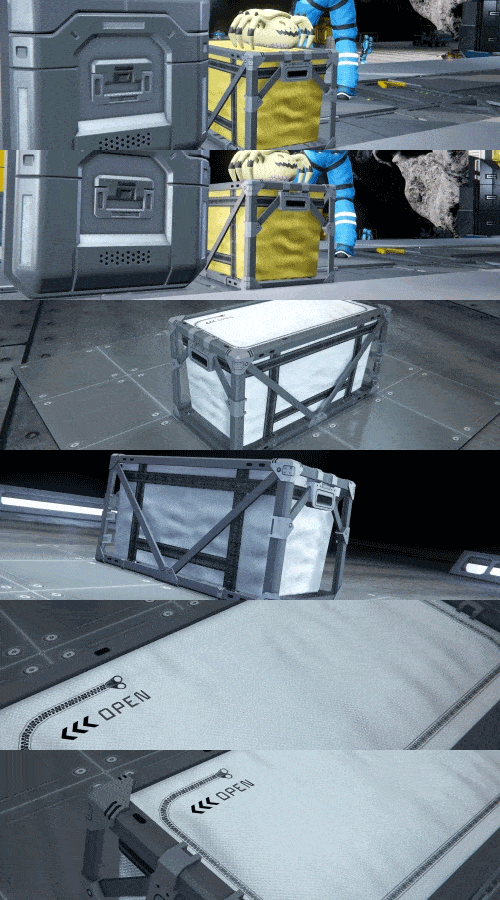
Small Grid Freight (Added to the Decorative Pack 2)
(2 blocks, S grid)

Small Grid Storage Bin (Added to the Apex Survival Pack)
(1 block, S grid)

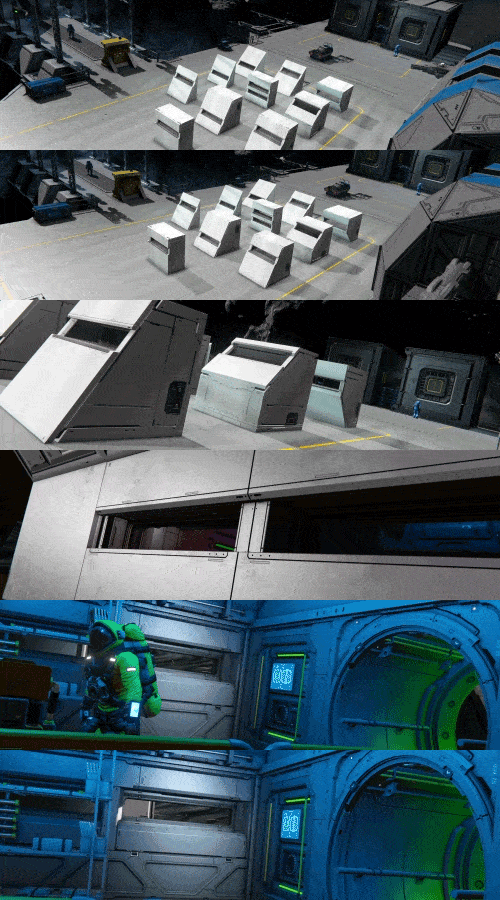
The Economy 2 Pack adds over 40 new blocks – vivariums, billboard LCDs, bulk cargo containers, floorplan signs, angled doors, narrow viewports, and a reimagined Safe Zone generator with an exposed animated core. These are cosmetic and decorative blocks that don’t affect gameplay balance.
If you enjoy Space Engineers and want to support its continued development, this is a great way to do it – and you’ll get a lot of new building options in return.
The price of the Economy 2 Pack is $4.99 USD or your regional equivalent.
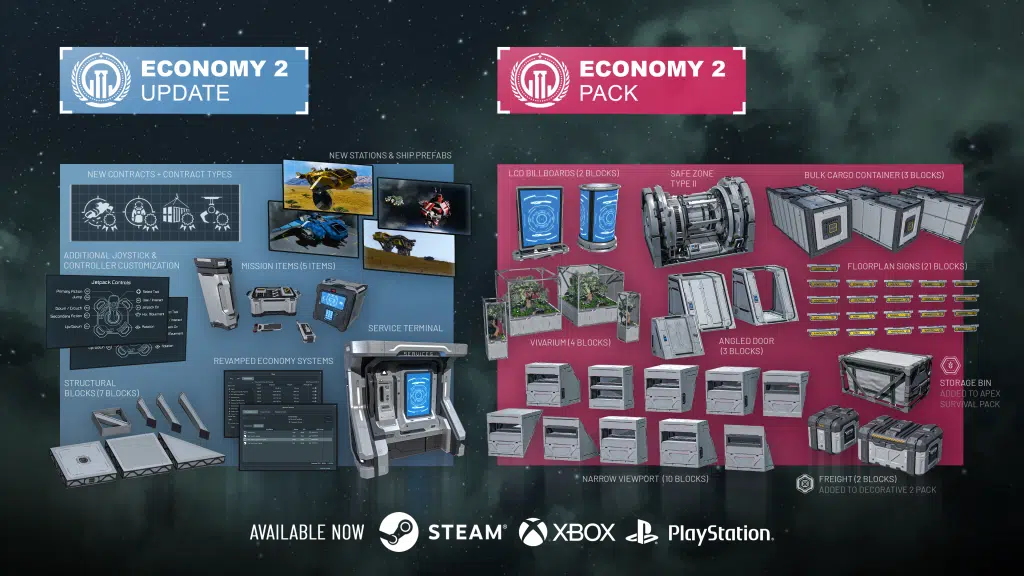
This package includes:
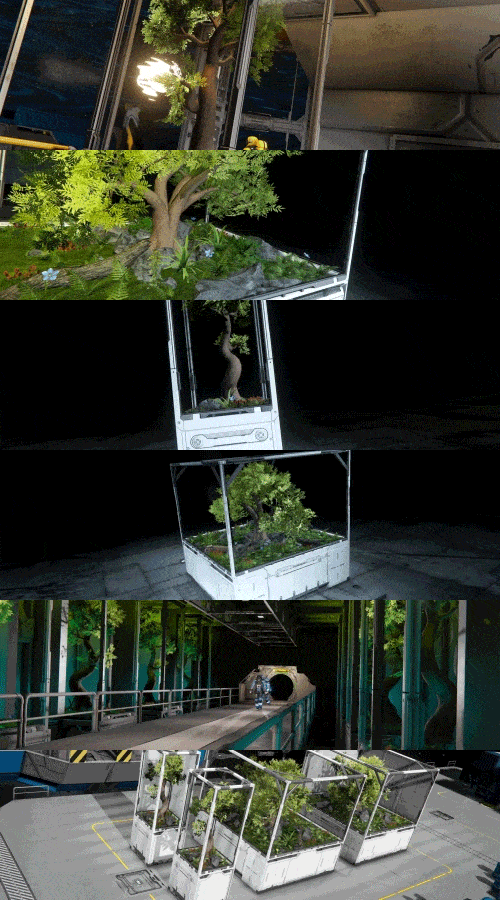
Vivariums
(4 blocks, L grid)
A collection of self-contained habitats filled with greenery. Perfect for bringing a touch of nature into your build.
Billboard LCD
(2 blocks, L grid)
Display panels purpose-built to catch the eye. Perfect for advertisements or announcements.

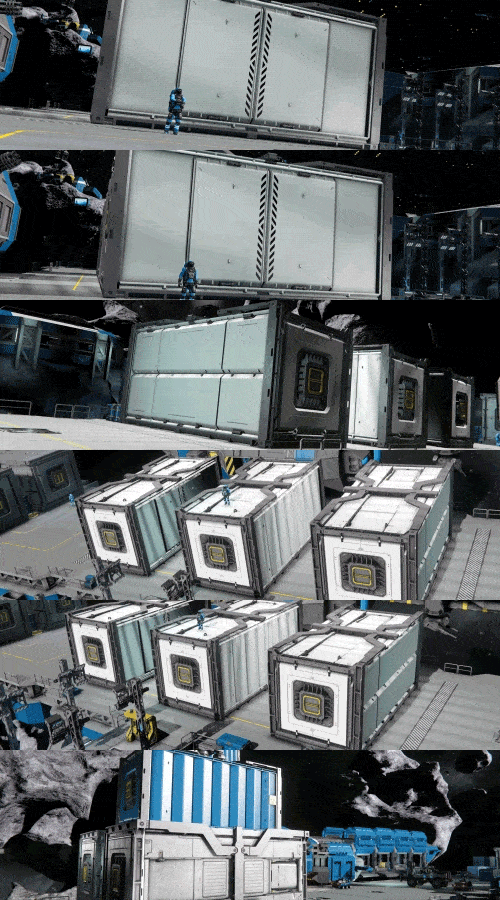
Bulk Cargo Container
(3 blocks, L grid)
A heavy-duty cargo container designed for hauling large volumes of materials.
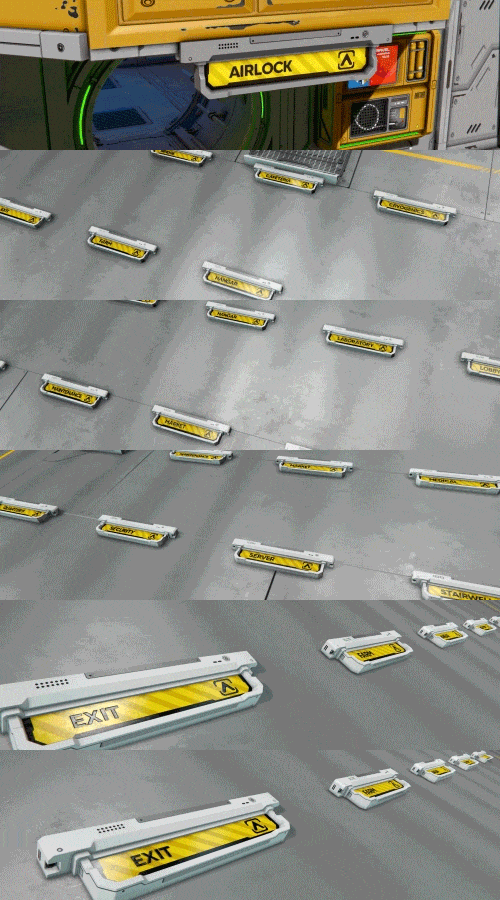
Floorplan Signs
(21 blocks, L grid)
A large set of signs for marking rooms, routes, and key areas throughout your grid, making them easier for others to navigate.
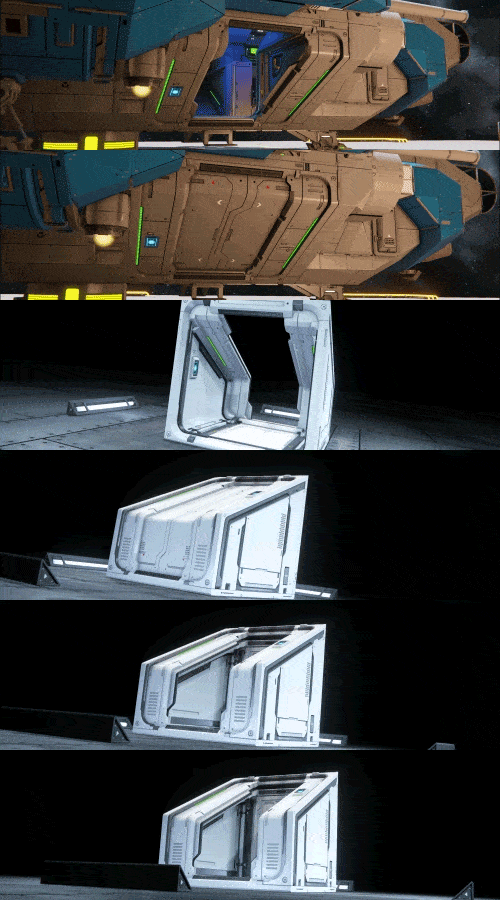
Angled Door
(2 blocks, L grid + 1 block, S grid)
A sleek, sloped door design with variants that allow for use in any orientation.
Narrow Viewport Set
(10 blocks, L grid)
Reinforced windows that add visibility while providing structure and preserving the armored look of your build.
Safe Zone Type II
(1 block, L grid)
A reimagined Safe Zone generator with an exposed animated core.


Our next update, 210, will be a custodian update focused on bug fixes, system improvements, and overall game stability. We want to keep improving the foundations of Space Engineers and make the whole experience smoother, more reliable, and easier to enjoy. And yes – we will still try to sneak in some shiny new decorative blocks too. There are also rumors that the Factorum may be hiding more technology nobody has seen yet!
After that, you can expect another major update later this year. You may remember that we promised you another Warfare addition. Our research and experiments around character pathfinding are not over…

🛠️ Feedback & Support – https://support.keenswh.com/
🛰️ Discord: https://discord.gg/keenswh
📫 Newsletter: https://www.keenswh.com/newsletter
🚀 Community Hub: https://www.spaceengineersgame.com/community-hub/
➡️ Connect and find us on your platform of choice: https://www.keenswh.com/connect/