


Hello, Engineers!
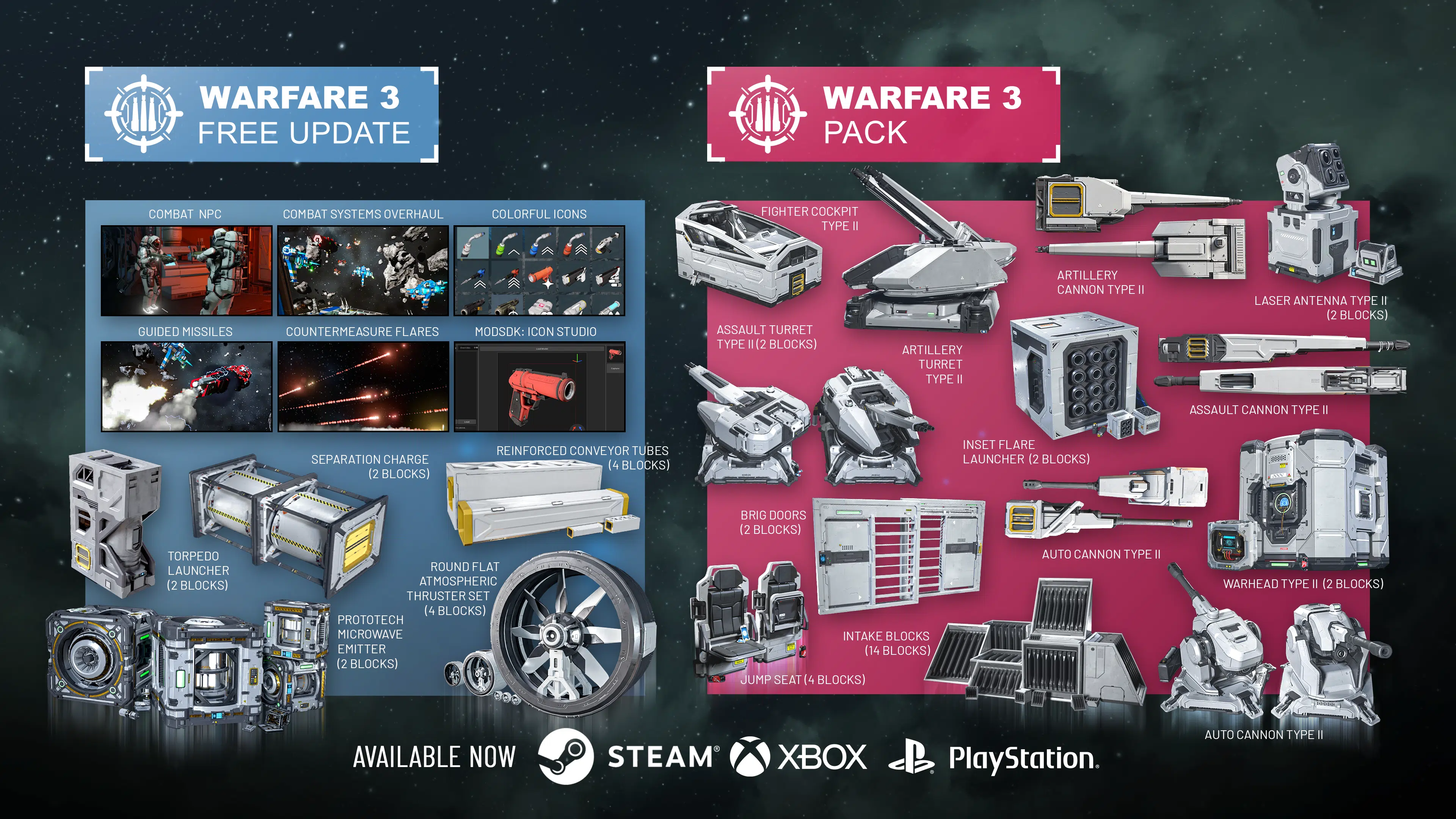
Warfare 3 is here, bringing one of the biggest combat overhauls Space Engineers has ever seen. From Combat NPCs, guided missiles and torpedoes to countermeasure flares, EMP weapons, Jump Detection, new automation options, and much more, this update changes how battles are fought, defended, and engineered.
Everything in this update is free. Alongside it, we’re releasing the Warfare 3 Pack with new decorative blocks and variants to expand your creative options.
Free Content
If you own Space Engineers, everything below is yours – no extra purchase needed.
Combat Systems Overhaul
Warfare 3 makes combat more dynamic for both PvE and PvP players. Guided weapons, countermeasures, EMP technology, new targeting tools, expanded automation and configurable world settings create new decisions before, during and after every engagement – and give Engineers more ways to design ships, defenses and weapons around the battles they expect to face.
Combat NPCs
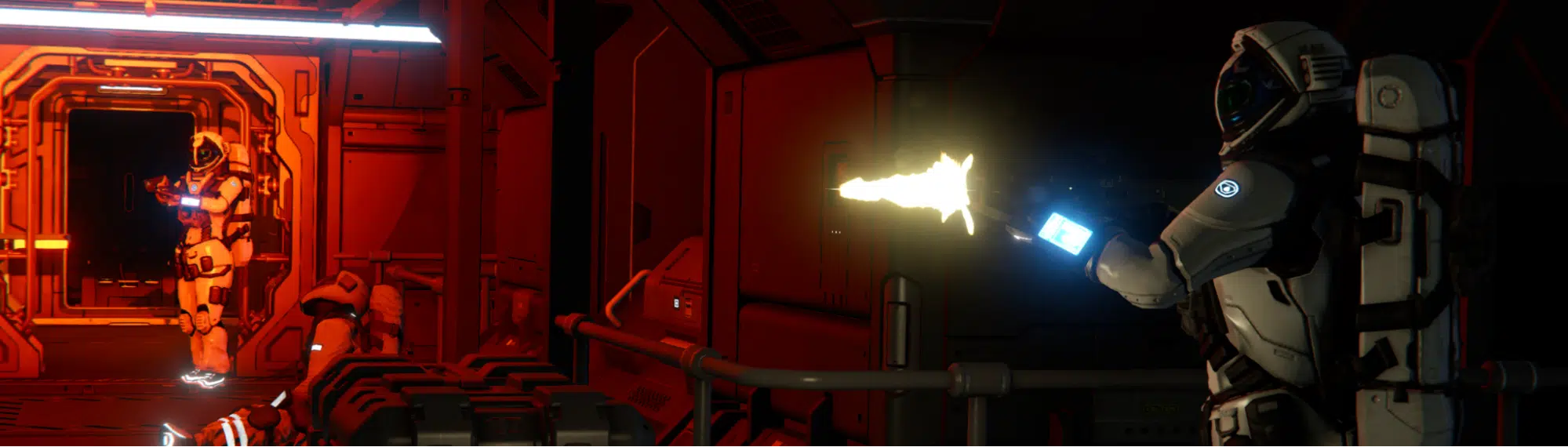
Combat NPCs are one of the most important achievements in Warfare 3 – and the result of work we have been building up across several previous updates.
Economy 2 laid the groundwork for interactable NPCs, and we have been expanding their role ever since. Warfare 3 is where that work really comes together: NPCs can now appear across all encounter types, from passing Cargo Ships to the most dangerous Factorum locations.
Until now, many encounters could feel like you had arrived after everyone had already left. That starts to change. Hostile NPCs patrol their grids and fight back when you attack, turning boarding and salvage into a much more dangerous job. Other NPCs bring movement, chatter, and a sense that these places actually belong to someone.
Their messages can also give you clues about who they are, what is happening, and why that ship or station is there in the first place. It is a small change on paper, but it makes encounters feel far less like empty structures and much more like places with people, stories, and something worth defending.
We are especially excited to see what this does to Factorum Encounters. They were already among the most dangerous places in Space Engineers. Now, getting inside, taking control, and escaping with the rewards will come with an entirely new kind of resistance.
This is a major step toward making the Space Engineers universe feel more alive, and we cannot wait to see how its new inhabitants change the way you explore, board, fight, and survive.
Guided Weapons
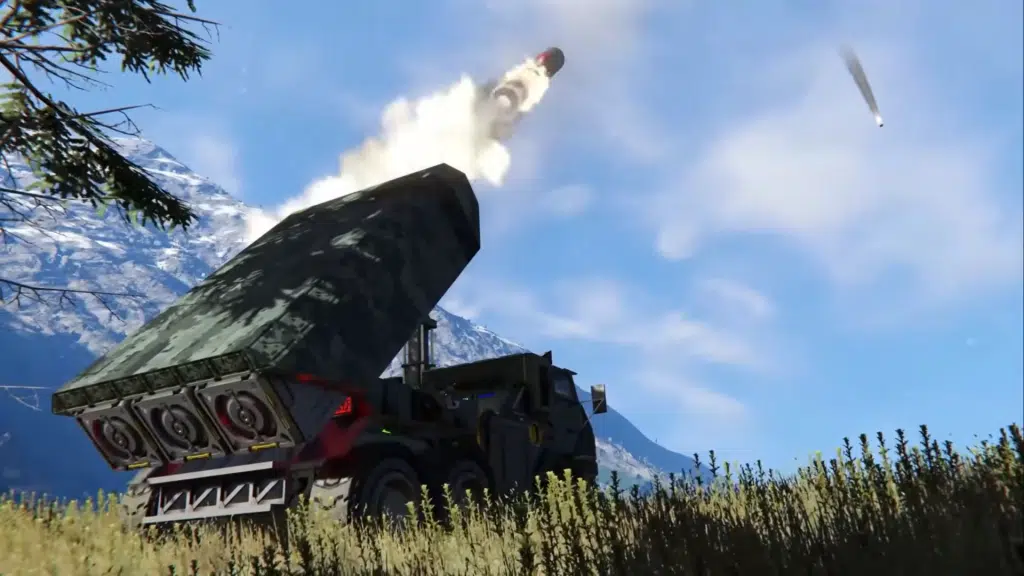
Warfare 3 introduces guided weapons for both large and small grids. The new Torpedo Launcher fires several torpedo variants, including standard, Light, Heavy and Armor Piercing Torpedoes, while the new Homing Missile gives existing rocket launchers a guided ammunition option.
Guided projectiles use target lock and predictive guidance to pursue moving grids. Supported static weapons can also target specific subsystems, allowing Engineers to aim their guided munitions at critical systems such as weapons, propulsion or power.
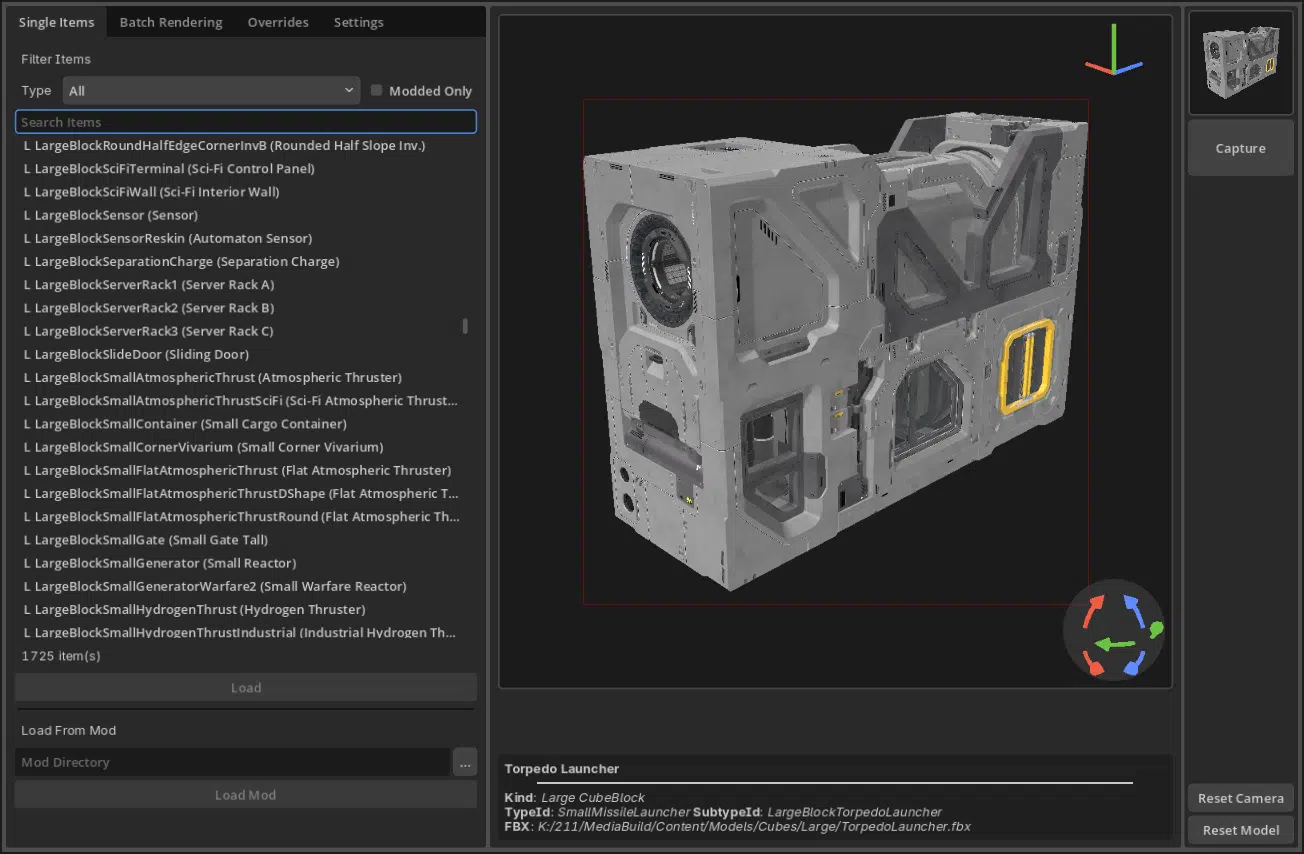
Torpedo Launcher
(1 block, S grid + 1 block, L grid)
Launch a range of guided torpedoes, from fast-seeking variants to heavy anti-armor payloads, and adapt your firepower to the target.

Countermeasures
The Firework Launcher has been renamed to the Flare Launcher and can now fire countermeasure flares capable of disrupting seeking missiles and torpedoes. Their effectiveness depends on the incoming munition, the distance between the missile and the flares, and the strength of the deployed flare coverage.
Flares are highly effective against lighter guided weapons, while heavier torpedoes are more resistant and may need to be destroyed by point-defense systems.
Gatling Turret accuracy has also been increased by 25%, making the turrets more effective in this role.
EMP Weapons
The Prototech Microwave Emitter (1x L, 1x S) introduces EMP warfare to Space Engineers. This warhead-like block charges before releasing a disruptive microwave pulse that temporarily disables affected grids and exposes nearby characters to radiation.
After discharging, the emitter damages itself and must be repaired before it can be used again. Fully powered-down grids can avoid the EMP shutdown, creating opportunities for carefully timed defensive power-downs, surprise attacks, mines and custom EMP torpedoes.
Prototech Microwave Emitter
(1 block, S grid + 1 block, L grid)
Unleash a powerful EMP pulse that temporarily disables nearby grids and exposes characters to dangerous radiation.

Ammunition Switching
Weapons that support multiple ammunition types now allow you to choose the desired ammunition directly from their controls or cycle through available options using toolbar actions.
The new Force Reload action lets you unload the currently loaded ammunition and immediately switch to another selected type, giving you more control over your weapons during combat.
Assault and Artillery Shells now deal area-of-effect damage around their point of impact.
New Ammunition:
- Homing Missile
- Torpedo
- Light Torpedo
- Heavy Torpedo
- Armor Piercing Torpedo
- Anti-Personnel Turret Ammo Box
- Flare Ammo Box
Additional Combat Improvements
Warfare 3 also introduces a wide range of combat improvements:
- Hand Weapon Target Locking – The PRO-1 Rocket Launcher can now lock onto grids, display a lead indicator and fire Homing Missiles at locked targets.
- Relative Dampening on Hostile Grids – A new world setting controls whether players can use Relative Dampeners to match the movement of hostile grids.
- Jump Detection – Heavy grids performing long-distance jumps can generate temporary Jump Signature GPS markers, creating new opportunities for pursuit and interception.
- Incoming Missile Event – Event Controllers can detect incoming guided missiles and torpedoes, allowing automated alarms, defensive systems or countermeasure launches.
- Targeting Improvements – Target lock now uses the center of a grid rather than its Pivot Point, while the Target Info LCD App provides more useful subsystem information.
- Anti-Personnel Turret Rework – The Interior Turret has been renamed to the Anti-Personnel Turret and now uses its own dedicated ammunition. The damage was rebalanced, and we disabled Anti-Personnel Turret’s ability to do headshots.
- More Consistent Explosions – Stored items, floating items and temporary cargo now use unified explosion calculations, making player-made “nukes” more predictable.
- Camera and Turret Improvements – Cameras can now pan and rotate their view, while turret view rotation can be adjusted for upside-down and side-mounted installations. We also added a new camera overlay.
- Reduced Weapon block PCUs – Thanks to our game optimizations, many weapons are receiving PCU reductions!
- Turret Idle Rotation is now disabled by default.
- Rocket Turrets Missile Targeting – Missile turrets now gained the option to target incoming hostile missiles & torpedoes to provide additional protection that is especially effective for static defences.
Updated Encounters & Factorum Additions
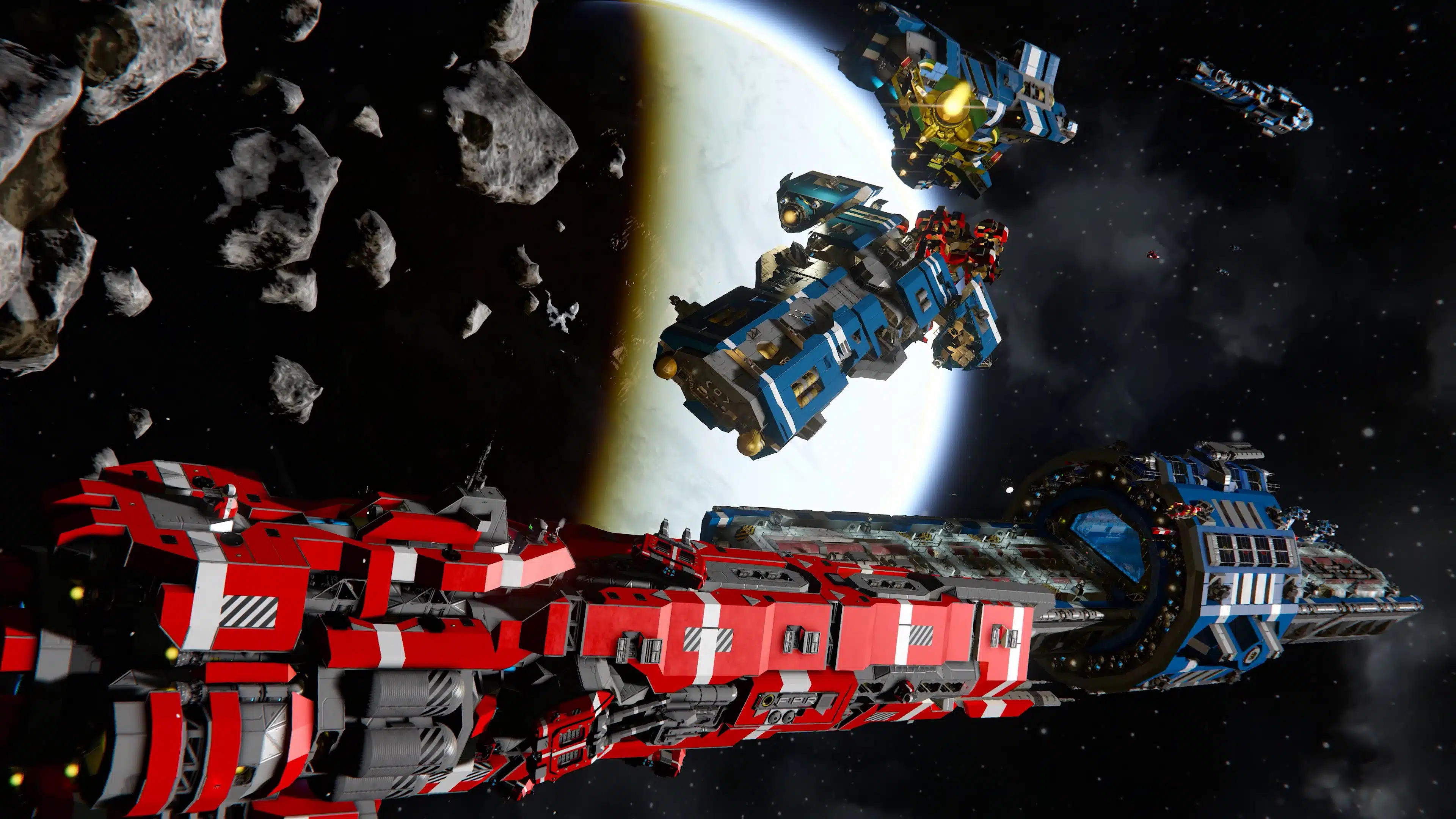
The universe is changing – and the encounters scattered across it are changing with it. A few existing encounters, cargo ships and economy ships have been refreshed with new weapons and blocks and some of the Factorum encounters will now make use of their new Prototech Microwave Emitter, bringing another dangerous challenge.
Separation Charge
This block has huge potential for both combat and non-combat applications.
Separation Charge can destroy itself on command, with a controlled explosion that doesn’t damage anything it’s touching, but before it destroys itself, it fires a series of actions. So whatever you set up will be triggered, then it will destroy itself. It’s great for breakaway torpedoes, and lets you build these types of setups without the need for a subgrid like a hinge or a rotor – and it uses a fraction of the PCU, while still allowing fuel and items to pass through its conveyor.
The really powerful part is the action sequence, which will make this such a cool block for so many applications. It could be a missile, a mine, splitting a grid off a projector, multi-stage rocket systems – I think our players will really surprise us with what they create – and I can’t wait to see it.
Separation Charge
(1 block, S grid + 1 block, L grid)
Detach sections of your grid on command while triggering assigned actions – ideal for torpedoes, mines, staged systems, and other engineered creations.

Jump Detection
Jump Detection is a new optional world setting that can reveal where large, heavy grids emerge after using a Jump Drive. The heavier the grid and the farther it travels, the stronger its jump signature becomes – allowing nearby players to pick up a temporary GPS marker at its destination.
This opens up new opportunities to hunt down and intercept other players. The feature can be disabled in the world settings, and its thresholds and values are easily accessible and customizable through modding.
Artificial Mass and Gravity Drives
We’re also introducing a new world setting for Artificial Mass blocks and Space Balls. These blocks are commonly used to build “Gravity Drives,” which are incredibly fun but can be performance intensive and difficult to balance in PvP.
We know many players enjoy these creations, so rather than imposing restrictions on everyone, we’re giving communities the option to disable these blocks if they choose.
These blocks are also gaining a new function! They now act as gravity anchors on planets and moons, adding mass when enabled on planetary surfaces. This opens up new possibilities, from improving vehicle handling in low gravity to creating mechanisms that shift their mass on demand… Did someone say trebuchet?
Colorful Icons & Icon Studio
Colorful Icons have been at the top of the feedback tickets on our support site for a long time. It’s a big task – and one we couldn’t do without dedicating a fair amount of resources to it. Our game has over 1,700 items that use icons – from blocks and components to tools and consumables… It’s a lot to adjust, and we wanted to do it right.
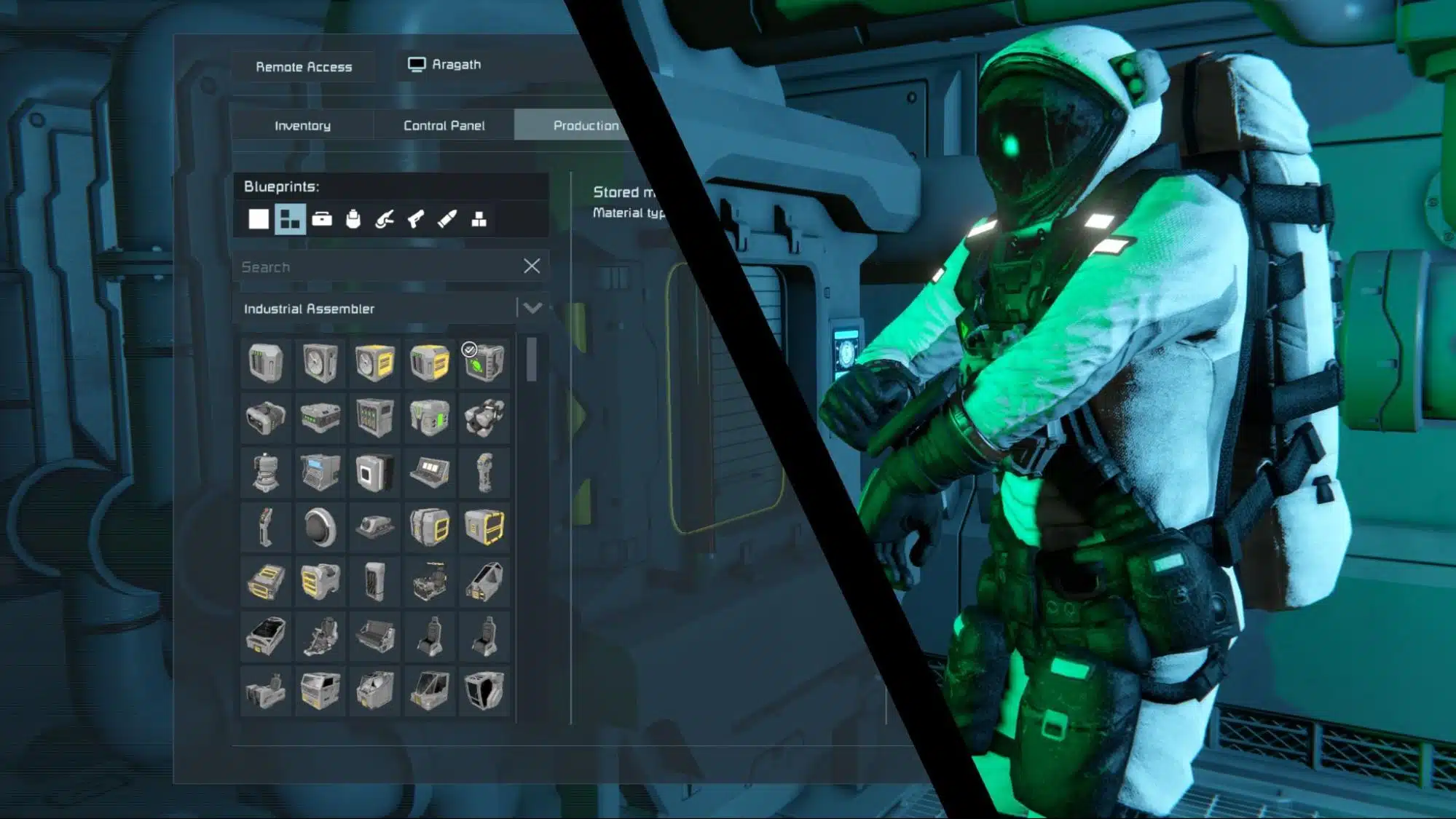
Alongside what we wanted for the base game, one of our biggest goals was to give our modding community a tool they could use to match the lighting, composition, and overall style of our new icons. We wanted to give them the ability to update their mods quickly and with as little hassle as possible, helping their creations stay visually consistent with the vanilla game. The Icon Studio is now available inside our ModSDK – I’m very happy with what’s come out of this endeavor, and I can’t wait to see some of our favorite community additions updated in full color.
Separated Toolbar Actions & Additional Set Value Actions
Automation is getting more precise. Many existing toggle actions now have separate On and Off controls, giving you more predictable behavior when building complex systems with cockpits, wheel suspensions, AI blocks, landing gear, antennas, and more.
We are also expanding Set Value actions across several blocks, letting you directly define values such as Event Controller thresholds, light settings, wheel properties, Gravity Generator acceleration, and Timer Block delays. This gives Engineers finer control over automated systems without relying on repeated toggles or incremental adjustments.
More Free Blocks
Longer Conveyor Pipes
(1 block, S grid + 3 blocks, L grid)
The standard Conveyor Tube, Reinforced Conveyor Tube, and Heavy Industry DLC Conveyor Pipes are all receiving additional variants that are 3 times longer.

Round Flat Atmospheric Thruster Set
(2 blocks, S grid + 2 blocks, L grid)
A sleek, rounded take on the Flat Atmospheric Thruster, giving you more options for clean, compact atmospheric builds.

ModAPI
Weapons
Guided weapons gained additional configurable modding fields, giving modders much deeper control over how missiles and torpedoes behave. Seeking can be tuned through values such as guidance range, predictive guidance, lock-on and lock-maintain cones, turn rate, and launch requirements, while projectile lifetime can now be defined independently of maximum trajectory. Splash-damage values are also exposed for supported ammunition, opening the door to much more varied custom weapons – from agile interceptors to slow, heavy torpedoes and specialized area-effect munitions.
Modders can also define how resistant individual guided munitions are to countermeasure flares, as well as whether specific projectile types can be targeted by missile-defense systems. Together, these options make it possible to create much more distinct weapon roles, counterplay, and defensive interactions.
Screen Space & Drawing ModAPIs
Modders are getting new tools too. Warfare 3 introduces new Screen Space and Drawing ModAPIs that open up a much wider range of possibilities for custom interfaces and on-screen information.
Mods can now draw text and sprites directly in screen space, create entirely new UI screens, and generate textures dynamically. That means modders are no longer limited to adapting existing interface elements – they can build purpose-made displays and visual systems around the needs of their mods.
These APIs can support everything from custom HUD elements and status readouts to dedicated control interfaces, visual indicators, and much more elaborate in-game tools. More importantly, they give creators a foundation to experiment with interface ideas that simply were not possible before.
And rather than just tell you what these tools can do, we asked Space Engineers modders to show us. Here are some of the amazing new possibilities they have already been exploring:
https://www.youtube.com/watch?v=mE0S-kpiMDg
Additional Improvements
…and more! There are many additional improvements and fixes in the Warfare 3 Update – you can explore everything included in the detailed Changelog.
Warfare Collection Reward
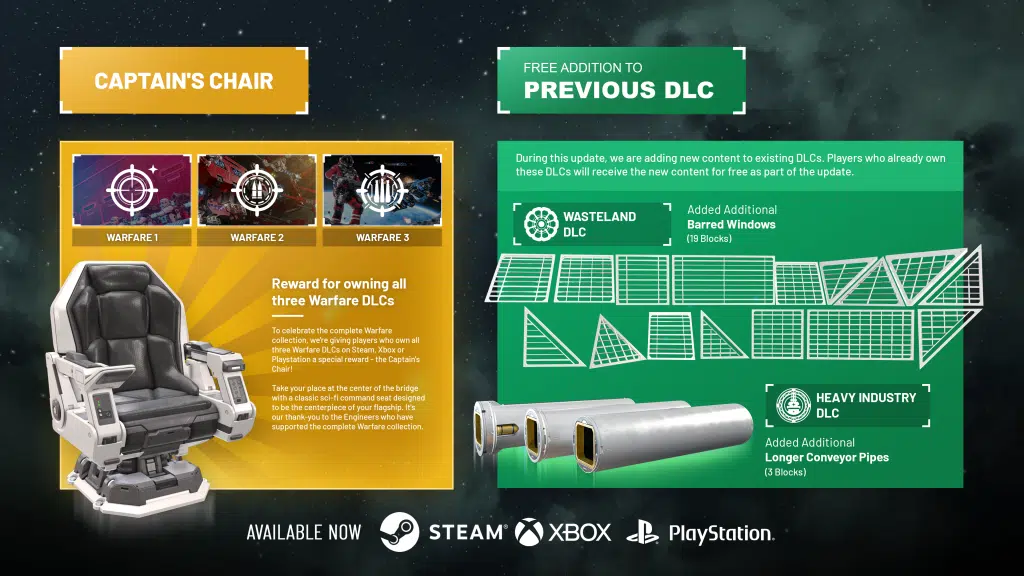
Own all three Warfare DLCs on Steam, Xbox or Playstation? The Captain’s Chair is yours.
To celebrate the Warfare collection, we’re giving players who own all three Warfare DLCs on Steam, Xbox or Playstation a special reward – the Captain’s Chair!
Take your place at the center of the bridge with a classic sci-fi command seat designed to be the centerpiece of your flagship. It’s our thank-you to the Engineers who have supported the complete Warfare collection.
Captain’s Chair
(1 block, L grid)
Take command from a classic sci-fi Captain’s Chair, built to give your bridge a true flagship centerpiece.

Free DLC Content Additions
During this update, we are adding new content to existing DLCs. Players who already own these DLCs will receive the new content for free as part of the update.
Additional Barred Windows (Added to the Wasteland Pack)
(7 blocks, S grid + 12 blocks, L grid)

3x Long Conveyor Pipes (Added to the Heavy Industry Pack)
(3 blocks, L grid)

Warfare 3 Pack
The Warfare 3 Pack adds over 30 new blocks – Fighter Cockpit Type II, Artillery Turret Type II, Artillery Cannon Type II, Assault Turret Type II, Assault Cannon Type II, Autocannon Turret Type II, Auto Cannon Type II, Intake Blocks, Laser Antenna Type II, Jump Seat, Warhead Type II, Inset Flare Launcher and Brig Doors.
These are cosmetic and decorative blocks that don’t affect gameplay balance.
If you enjoy Space Engineers and want to support its continued development, this is a great way to do it – and you’ll get a lot of new building options in return.
The price of the Warfare 3 Pack is $7.99 USD or your regional equivalent.

This package includes:
Fighter Cockpit Type II
(1 block, S grid)
Take control of a next-generation fighter from this thick, sci-fi-inspired cockpit.

Artillery Turret Type II
(1 block, L grid)
Give your warship some serious presence with an artillery turret built for heavy engagements and distant targets.

Artillery Cannon Type II
(1 block, L grid)
Turn distant threats into target practice with this heavy artillery cannon.

Assault Turret Type II
(1 block, S grid + 1 block, L grid)
Hold the line with an assault turret that gives combat-ready grids a tougher, more commanding look.

Assault Cannon Type II
(1 block, S grid)
Give your gunship a more aggressive profile with an assault cannon designed to look tough and battle-ready.

Autocannon Turret Type II
(1 block, S grid)
Compact, rugged, and full of attitude. This small turret gives light combat builds a tougher, more intimidating look.

Auto Cannon Type II
(1 block, S grid)
Small in size but big in style. This autocannon gives your strike craft a true combat-ready look.

Intake Blocks
(7 blocks, S grid + 7 blocks, L grid)
Add vents, grilles, and industrial detail to any surface with decorative intake blocks – ready for your greebling!

Laser Antenna Type II
(1 block, S grid + 1 block, L grid)
Stay connected across the stars with this advanced communications array.

Jump Seat
(1 block, S grid + 3 blocks, L grid)
Fold it down and strap in. This compact passenger seat is perfect for dropships, tight interiors, and utility craft.

Warhead Type II
(1 block, S grid + 1 block, L grid)
Clean, squared-off, and ready to detonate, this powerful explosive fits neatly into missiles, torpedoes, and compact weapon systems.

Inset Flare Launcher
(1 block, S grid + 1 block, L grid)
Built to blend into your grid, this inset flare launcher lets you fire countermeasures without disrupting your ship’s silhouette.

Brig Doors
(2 blocks, L grid)
Keep pirates, troublemakers, and unruly crew members where they belong.

What’s Next
We have big plans for 2027! As Space Engineers enters its 14th year of development, we’re proud of how far it’s come, but we know some parts are showing their age. We hear you, and we’re putting your feedback to work! We’re ready to tackle long standing pain points and modernize the parts of the game that need it most. Expect more frequent updates and more communication from our team as we make Space Engineers even better.
We’re not stopping at improvements! We’ve never shied away from a challenge. Space Engineers has grown from a simple sandbox into a populated world with fully destructible planets, and we’re far from finished! We have some major gameplay additions planned, and we’re ready to take Space Engineers into an exciting new era. Stay tuned! We’ll be back with more very, very soon!

🛠️ Feedback & Support – https://support.keenswh.com/
🛰️ Discord: https://discord.gg/keenswh
📫 Newsletter: https://www.keenswh.com/newsletter
🚀 Community Hub: https://www.spaceengineersgame.com/community-hub/
➡️ Connect and find us on your platform of choice: https://www.keenswh.com/connect/